





Новое поступление

YUCUN SATAIII SSD 16GB 32GB 60GB 90GB 120GB 180GB 240GB 480GB 500GB 512GB Internal Solid State Drive 2.5 inch HDD Hard PC | Компьютеры и

YUCUN 2 5 дюймов SATAIII SSD 32 Гб 60 90 ГБ Внутренний твердотельный накопитель 64 жесткий диск

Wicgtyp Hard Drive SSD mSATA 16GB 32GB 64GB 128GB 256GB 512GB 1TB 2TB HDD Internal Solid State Disk For Laptop PC | Компьютеры и офис
1 850,65 - 33 511,14 руб.

Computer Parts Shenzhen KingSpec Original 120GB SSD HDD 22*80mm NGFF M.2 MLC Solid State Disk Harddisk Drive for Laptop Notebook |

Kodak ssd m2 nvme PCIe скоростью чтения до 3500 1 ТБ 256GB 512GB твердотельный накопитель DRAM Кэш M.2
6 960,72 - 30 883,01 руб.

Твердотельный накопитель XSTAR mSATA SSD SATA III 64 ГБ 120 128 240 256 500 512 ТБ ssd sata HDD для ноутбука

P3-128 HDD SSD Drive KingSpec 2 5 SATA 128 ГБ для POS машина Билета Машина тонкого Clinet disco дуро |
Характеристики
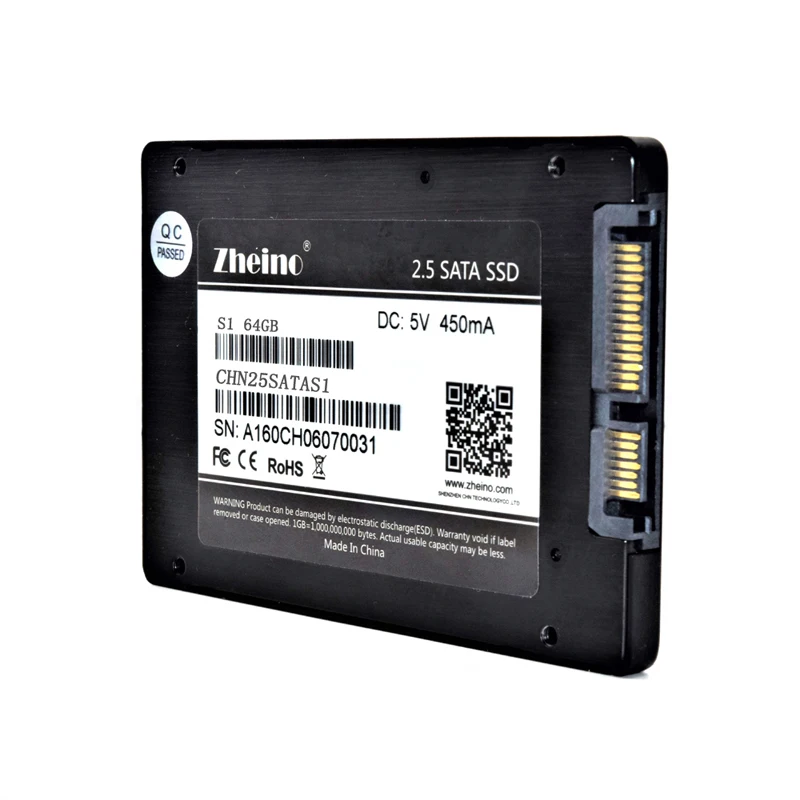
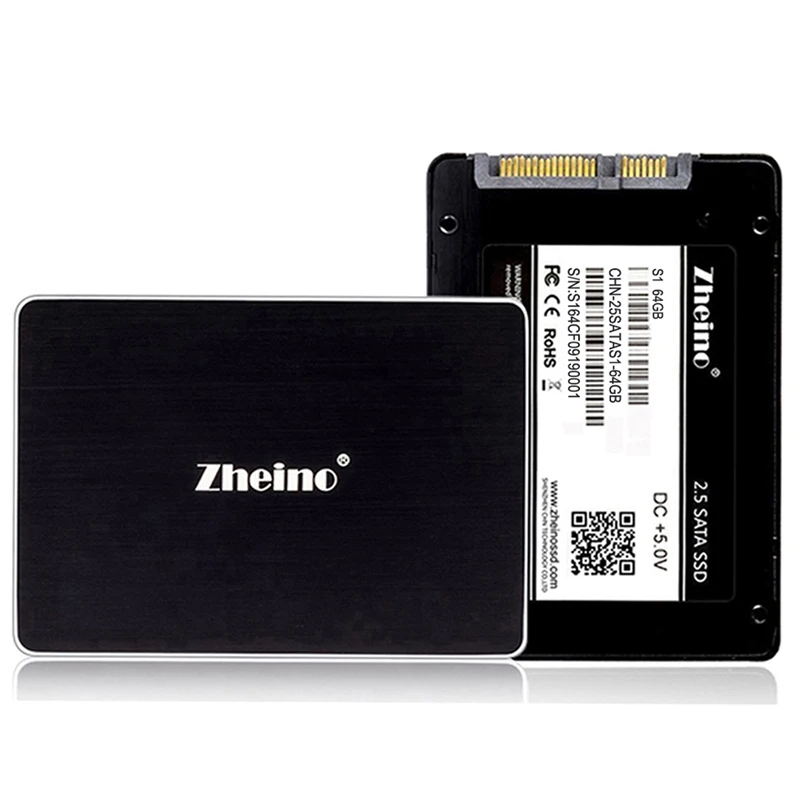
SATA3 ssd 2.5 Inch MLC S1 64GB Internal Hard Drive For Dell HP Lenovo ASUS Acer Thinkpad Laptop Desktop SSD with Zheino | Компьютеры и
История изменения цены
*Текущая стоимость уже могла изменится. Что бы узнать актуальную цену и проверить наличие товара, нажмите "Добавить в корзину"
| Месяц | Минимальная цена | Макс. стоимость | Цена |
|---|---|---|---|
| Mar-19-2026 | 0.68 руб. | 0.85 руб. | 0 руб. |
| Feb-19-2026 | 0.85 руб. | 0.78 руб. | 0 руб. |
| Jan-19-2026 | 0.47 руб. | 0.8 руб. | 0 руб. |
| Dec-19-2025 | 0.29 руб. | 0.54 руб. | 0 руб. |
| Nov-19-2025 | 0.44 руб. | 0.3 руб. | 0 руб. |
| Oct-19-2025 | 0.64 руб. | 0.22 руб. | 0 руб. |
| Sep-19-2025 | 0.32 руб. | 0.63 руб. | 0 руб. |
| Aug-19-2025 | 0.16 руб. | 0.32 руб. | 0 руб. |
| Jul-19-2025 | 0.2 руб. | 0.69 руб. | 0 руб. |
Описание товара


SATA3 ssd 2.5 Inch SATA3 MLC S1 64GB Internal Hard Drive For Dell HP Lenovo ASUS Acer Thinkpad Laptop Desktop SSD with Zheino
Main Feature: 1. Interface is SATA3 not SATA2 2.Shell made of Aliuminum Alloy Not Plastic 3. Controller: SMI2246XT for best performance, value and reliability 4. After Sales Service: 3 years warranty Specification:
| Model |
S1-64 |
| Capacity |
64GB |
| Read Speed |
450MB/S |
| Write Speed |
82MB/S |
| Nand Flash |
MLC |
| Controller |
SMI2246XT |
| 4K Random Read Lops |
2943.56 |
| 4K Random Write Lops |
3649 |
| Input Voltage |
5V |
| Idle |
0.22 |
| Active |
1.25 |
| Interface type |
SATAIII |
| Write Endurance |
3000 P/E cycles |
| Data Retention |
More than ten years |
| MTBF |
3 million hours |
| ECC |
Hardware BCH ECC capable of correcting errors up to 72-bit/1KB |
| Working Temperature |
0~70℃ |
| Storage Temperature |
'-40~85 |


Question:
1. Why the ssd can't be recognized by computer after installing?
-- Because you need to partition and format before using --9 step
1).Please right click"My Computer" left click"Computer Management"--Find"Disk Management" Under the "Storage" sub-directories.

2).Find"Unallocated"column(with SSD capacity shown) and right click this column,then click"New Simple Volumn".

3).Click"Next".

4).Click"Next".

5).Click"Next".

6).Click"Next".

7).Click"Finish".

8).Right click on the same column and choose "Cancel Format",wait till it finished.

9).After"Cancel Format"finished,SSD is ready to use.

2.why the ssd can't be showed in disk management?
-- Are you using a USB cable to connect ssd with your computer? If yes, there may be insufficient usb power.you can install the ssd on your computer.and then you try to format.
the ssd can't be showed in disk management after installing on the computer,you can try to use another system to format,such as PE system.
3.Why ssd can not be in NTFS format during formatting?
--This is a problem with your computer system,you can try to change another computer and use DiskGenius.
4.Why does the hard disk mount on the computer and it sometimes disappears from time to time?
-- Turn the machine on and off 5 times to see if it can find the disk each time. If not, it should be that the hard disk is not compatible with the motherboard. It is recommended to try hard disk replacement, or change the motherboard.
5. Why is the real capacity of ssd different from the nominal capacity of ssd?
--Storage device conversion formula: nominal capacity X93% = actual capacity.
6. Why is the speed of reading and writing different from the data descripted?
--there are 3 reasons.
1).
![S]TOSG)X_PF{KJ%5E_5]PCF](http://ae01.alicdn.com/kf/HTB1p5XXblnTBKNjSZPfq6zf1XXaB.jpg)
2).If you use the USB connection ssd and the computer, then regardless of the read/write speed of the ssd, it will be affected by the USB, and its read/write speed is just the USB read/write speed.
3).If your computer or USB cable is sata2, then the speed of reading and writing cannot achieve the data we provide.
7. Is SATA3 compatible with SATA2 and SATA?
--yes.
Смотрите так же другие товары: